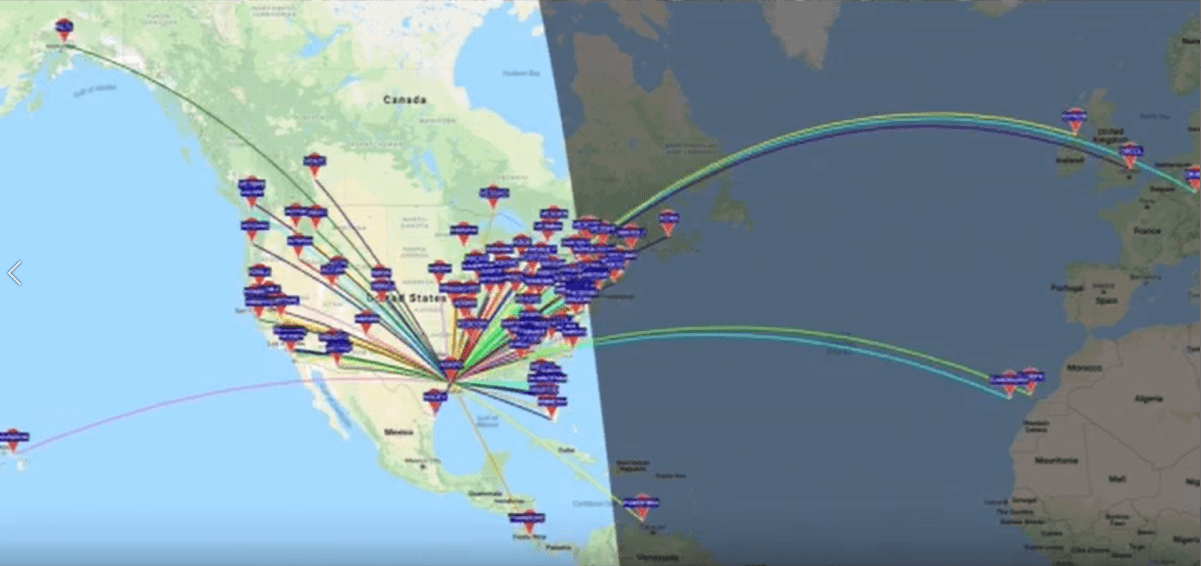
Which antenna configuration works better and what does my signal pattern look like?
Have you ever wondered how to compare two antenna configurations? How about knowing if your antenna is setup for better NVIS or DX? WSPR is useful for gathering empirical data for these things:
- Determine which antenna configuration provides the results you want (NVIS or DX for example),
- Examining band conditions, and
- Determining signal patterns for your deployment.
Below are the 3 quick easy steps to setup WSPR and other digital modes, even FT8.
TIP – Use only 5W if you have a 100W rig when using WSPR to test antennas. If using a QRP rig, then feel free to use 1W or less. Note: Our WSPR testing at Alpha Antenna uses only 250mW.
IF THE FOLLOWING URLs ARE DOWN, USE THE INFORMATION HERE: WSJT Home Page (sourceforge.io)
1: Setup your user account here: User account | WSPRnet.
2: Install WSJT-X on your computer after downloading it from HERE.
3: Connect your computer’s sound card to your radio using your radio’s built-in port. You may also use a hardware solution such as the Signal Link USB available HERE.
After you have setup and activated your system, you can then monitor for activity HERE.
To learn more, take a look at this video about WSPR – An Introduction for Beginners | WSJT-X Ham Radio